

2-hour delivery window delivery service for London businesses
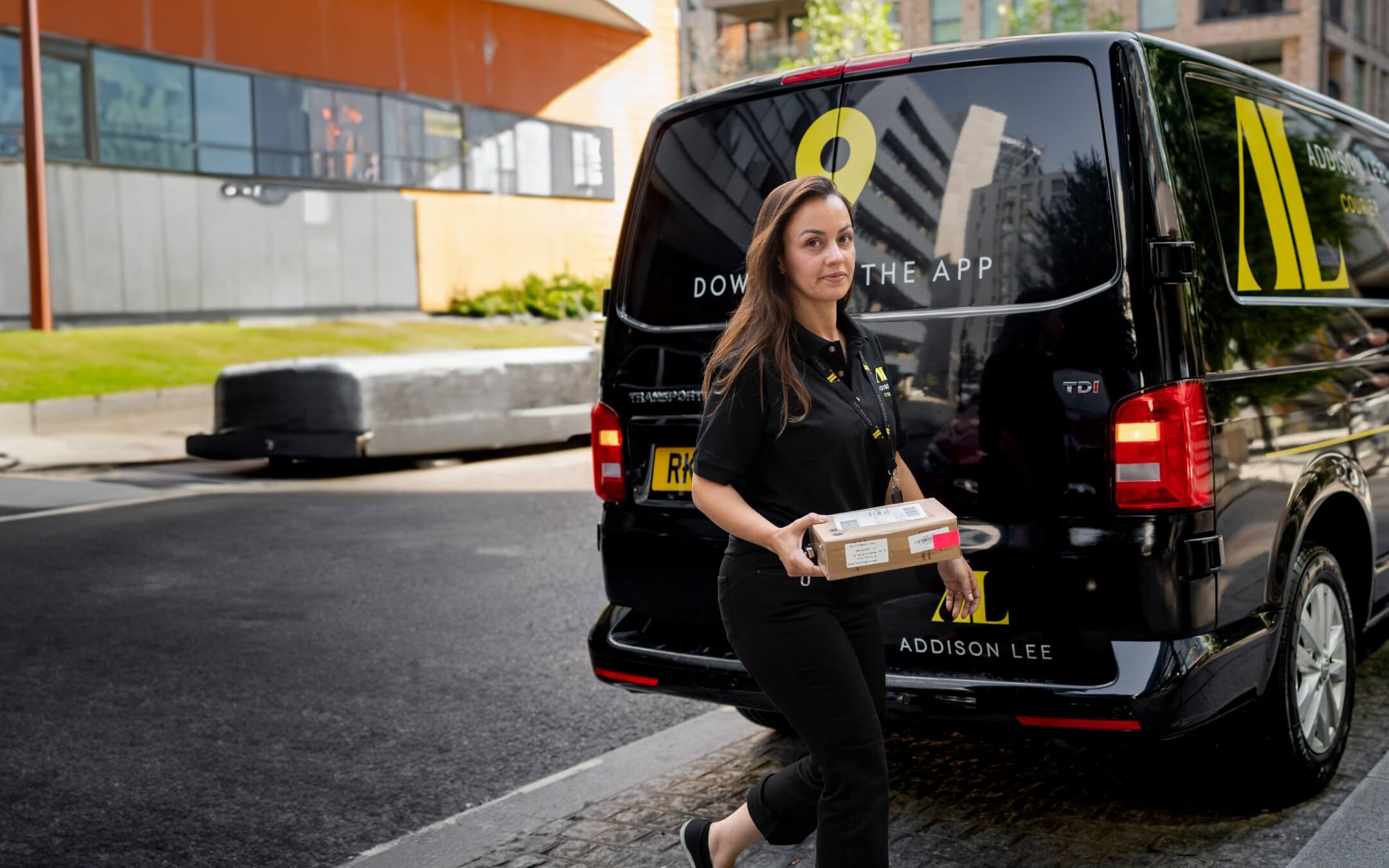
Addison Lee, London’s largest same day courier, has launched AL Now – a two-hour, rapid delivery service that gives your businesses a better, faster way to deliver to your customers, at a time that suits you and them. Unlike other delivery services which rely on all-day delivery windows, AL Now allows London businesses to offer consumers a specific two-hour delivery slot. The service – already used by several major retail clients across London – is designed to help independent local businesses compete on a more level playing field with retail giants by giving their customers unparalleled choice and control over delivery timings. Find out how to use the service and steps to configure your account below.
Our fleet
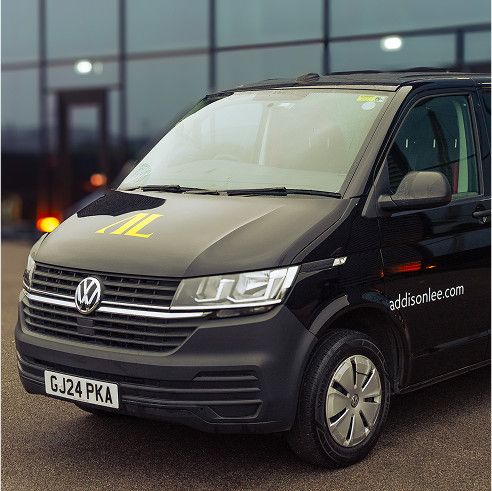
With our dedicated fleet of 450 courier vehicles, containing bicycles, cars, motorbikes and vans, alongside an overflow of 4,500 additional support cars, Addison Lee is your trusted provider for same day courier services, whether you’re looking for package delivery, parcel collection and delivery or any other courier services, our fleet have got you covered for all your same day delivery needs.
Testimonial from Charbonnel Et Walke
Lorem ipsum dolor sit amet consectetur. Viverra neque eu netus pellentesque libero id. Purus neque sed viverra in odio. Malesuada consequat sed commodo tellus sed quis tempus mollis sed. Odio elementum libero sit felis aliquet dolor.
Porta varius accumsan eros duis aenean massa sodales rhoncus. Ut ac ridiculus tempus mauris cum lobortis auctor nibh. Malesuada est consectetur adipiscing quam. Purus.
WHY BUSINESSES
USE AL NOW?

CHOOSE 2-HOUR DELIVERY SLOTS
Timed delivery windows to give your customers greater choice.

CUTTING EDGE TECHNOLOGY
Live traffic feeds and GPS tracking are used to deliver up to the minute pick-up and delivery times.

CUSTOMISABLE OPENING HOURS
Configure your ‘opening’ and ‘loading’ times via our Manager Portal, to make collection
times work for you.

DELIVERED WITH CARE BY DRIVERS YOU TRUST
Our dedicated team delivers every parcel with the care you and your customers deserve.

NO NEED TO WAIT NEAR THE WINDOW ALL DAY
Peace of mind knowing when you can expect to have your order delivered.

KEEPING CUSTOMERS INFORMED AND HAPPY
We’ll keep your customers updated with real-time SMS & email notifications.
-
CHOOSE 2-HOUR DELIVERY SLOTS
Timed delivery windows to give your customers greater choice.
-
CUTTING EDGE TECHNOLOGY
Live traffic feeds and GPS tracking are used to deliver up to the minute pick-up and delivery times.
-
CUSTOMISABLE OPENING HOURS
Configure your ‘opening’ and ‘loading’ times via our Manager Portal, to make collection
times work for you. -
DELIVERED WITH CARE BY DRIVERS YOU TRUST
Our dedicated team delivers every parcel with the care you and your customers deserve.
-
NO NEED TO WAIT NEAR THE WINDOW ALL DAY
Peace of mind knowing when you can expect to have your order delivered.
-
KEEPING CUSTOMERS INFORMED AND HAPPY
We’ll keep your customers updated with real-time SMS & email notifications.
How to guides
Addison Lee has launched AL Now – a two-hour, rapid delivery service that gives your businesses a better, faster way to deliver to their customers. Unlike other delivery services which rely on all-day delivery windows, AL Now allows London businesses to offer consumers a specific two-hour delivery slot. The service – already used by several major retail clients – is designed to help independent local businesses compete on a more level playing field with retail giants by giving their customers unparalleled choice and control over delivery timings. Find out how to use the service and steps to configure your account below.
How to view your
default ‘Hours of Service
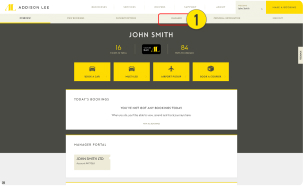
Sign in to your Addison Lee account online and tap ‘Manager’ to access your account’s Manager Portal.
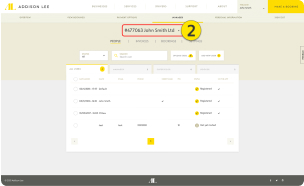
If you have multiple accounts, remember to select the right account by clicking the drop-down in the centre of your screen.
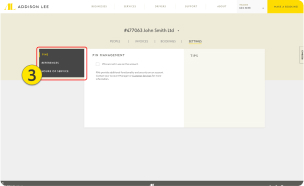
Once the right account has been selected, tap settings to manage your account. You’ll see ‘Hours of Service’ on the left-hand side of the screen – click to manage your hours.
-
Sign in to your Addison Lee account online and tap ‘Manager’ to access your account’s Manager Portal.
-
If you have multiple accounts, remember to select the right account by clicking the drop-down in the centre of your screen.
-
Once the right account has been selected, tap settings to manage your account. You’ll see ‘Hours of Service’ on the left-hand side of the screen – click to manage your hours.
How to update
your ‘HOURS OF SERVICE’
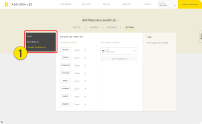
When on your ‘Hours of service’ settings in Manager Portal, you’ll see a drop down for each day of the week, as well as a section labelled holidays.
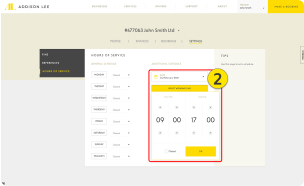
To change the time to reflect your opening hours, click the ‘+’ sign next to the day of the week. A pop-up box will appear allowing you to toggle between times, selecting the period you’re open from and the time you close – select ‘OK‘ to approve the change.
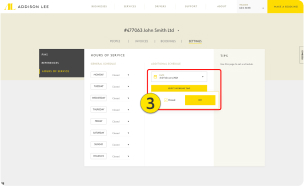
Once the right account has been selected, tap settings to manage your account. You’ll see ‘Hours of Service’ on the left-hand side of the screen – click to manage your hours.
-
When on your ‘Hours of service’ settings in Manager Portal, you’ll see a drop down for each day of the week, as well as a section labelled holidays.
-
To change the time to reflect your opening hours, click the ‘+’ sign next to the day of the week. A pop-up box will appear allowing you to toggle between times, selecting the period you’re open from and the time you close – select ‘OK‘ to approve the change.
-
Once the right account has been selected, tap settings to manage your account. You’ll see ‘Hours of Service’ on the left-hand side of the screen – click to manage your hours.
Adding opening hours for
a specific date and time as a one off
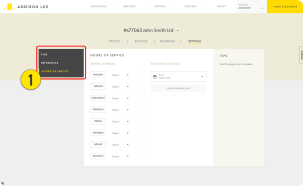
If you have a one-off date where your shop hours are different, you can use our additional schedule feature to manage this. Tap ‘Select date’ and pick the date you have in mind.
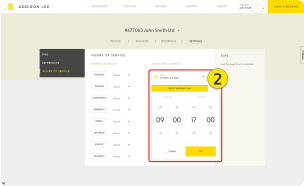
Once you’ve picked the date, select ‘Working Time’ and choose your opening and closing times.
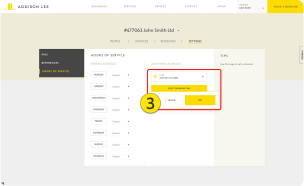
Remember if you’re closed that day you can also tick ‘Closed’ – whichever option you choose, tap ‘OK’.
-
If you have a one-off date where your shop hours are different, you can use our additional schedule feature to manage this. Tap ‘Select date’ and pick the date you have in mind.
-
Once you’ve picked the date, select ‘Working Time’ and choose your opening and closing times.
-
Remember if you’re closed that day you can also tick ‘Closed’ – whichever option you choose, tap ‘OK’.
HOW TO BOOK
DELIVERIES USING AL NOW
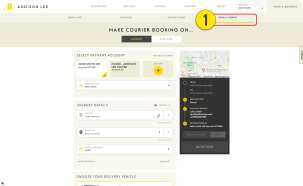
To book an AL NOW Service, you’ll need to tap ‘BOOK A COURIER’ and select the account the service is enabled on.
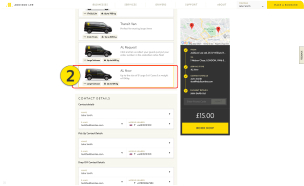
Scroll down to ‘CHOOSE YOUR DELIVERY VEHICLE’ where you’ll find your AL NOW service.
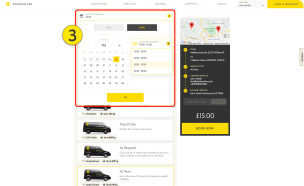
Once you’ve selected AL NOW, scroll up and enter your ‘Pick up’ and ‘Drop off’ destinations, and select ‘Later’ under ‘Date of Journey’. You can then select the delivery date and your 2-hour ‘Delivery window‘.
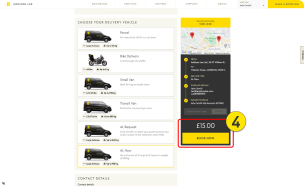
Enter your booking details, remember to check the information is correct before tapping ‘Book Now‘.
-
To book an AL NOW Service, you’ll need to tap ‘BOOK A COURIER’ and select the account the service is enabled on.
-
Scroll down to ‘CHOOSE YOUR DELIVERY VEHICLE’ where you’ll find your AL NOW service.
-
Once you’ve selected AL NOW, scroll up and enter your ‘Pick up’ and ‘Drop off’ destinations, and select ‘Later’ under ‘Date of Journey’. You can then select the delivery date and your 2-hour ‘Delivery window‘.
-
Enter your booking details, remember to check the information is correct before tapping ‘Book Now‘.